Debugging Go using Helix and Delve
This tells us that gopls and dlv are both installed on our path. Helix, like most terminal editors, uses the tools we have installed on path instead of an integrated environment such as Intellij.
Simple Code Example
Let's create a directory with some code to debug.
mkdir go-debug
cd go-debug
go mod init example/hello
touch hello.gopackage main
import (
"fmt"
"math/rand"
)
func main() {
random := add_two_random_numbers()
fmt.Println("Added two random numbers: ", random)
}
func add_two_random_numbers() int {
n1 := rand.Intn(100)
n2 := rand.Intn(100)
return n1 + n2
}Helix Debugger
The Helix debugger is accessible through a few commands: :dbg, :dgb-remote, :dbg-eval.
Or we can select a debug target with <space>-g. This brings up the debugging menu.
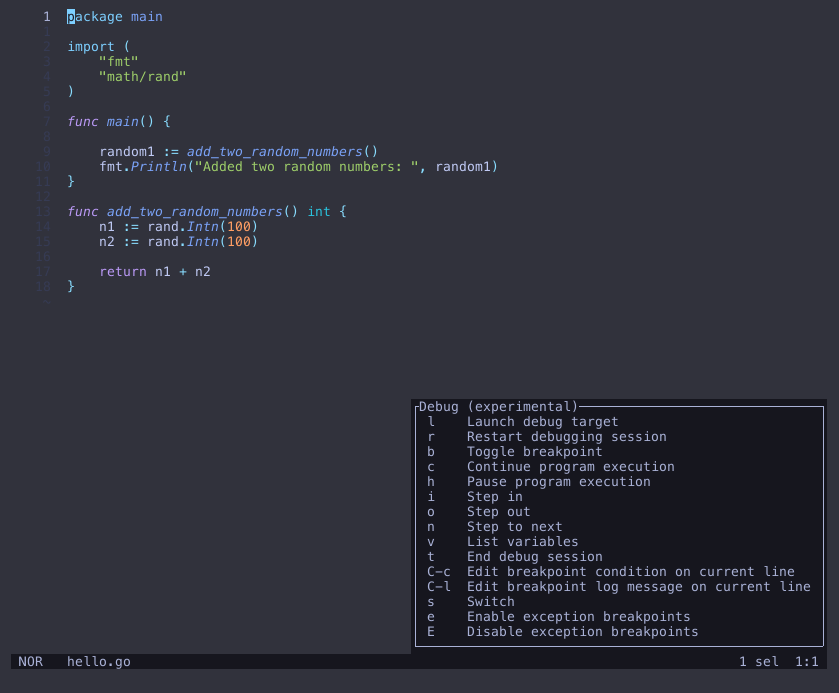
To add a breakpoint from the debug menu, press b to toggle a breakpoint for the current line,
or if you are familiar with other debugging tools you can also click the line number.
Let's add a breakpoint to the return statement in our add_two_numbers function.
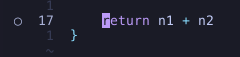
A little dot appears next to the line number indicating a breakpoint is set.
Now we can run our code to the breakpoint and inspect the local variables.
From the debug menu press l, then select source and enter the current source folder or main file, in this case, hello.go.
Our debugger will pause the thread due to the breakpoint we set, from here we can press v to view all local variables.
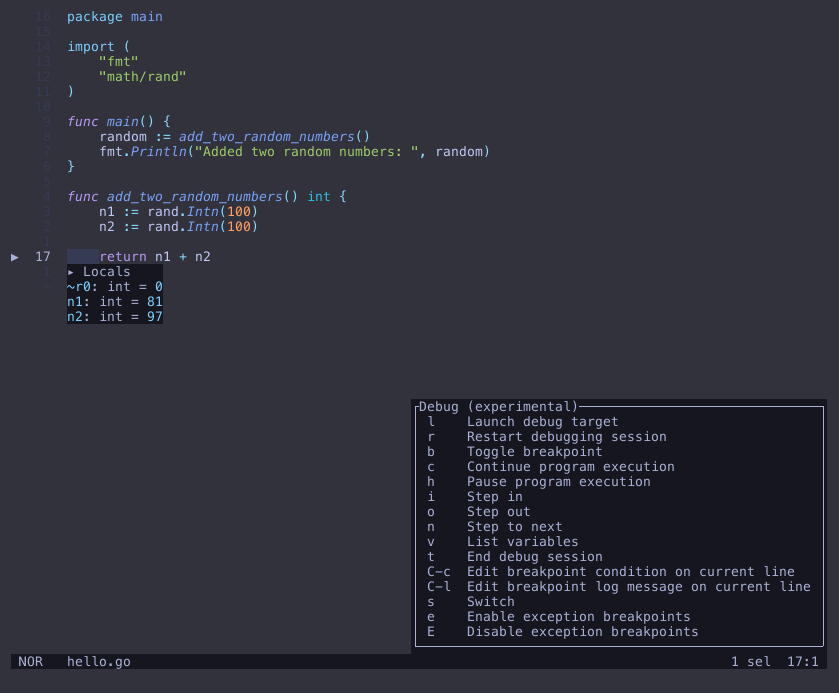
From here we can continue the thread with c or stop/terminate the session with t.
Now we can debug basic programs that are run within our editor, next we will look at debugging an
actively running application that updates when code is changed.
Debugging a server
Let's modify the code to be a continuously running server that accepts requests.
package main
import (
"fmt"
"math/rand"
"net/http"
"os"
)
func add_two_random_numbers() int {
n1 := rand.Intn(100)
n2 := rand.Intn(100)
return n1 + n2
}
func headers(w http.ResponseWriter, req *http.Request) {
num := add_two_random_numbers()
fmt.Println(num)
for name, headers := range req.Header {
for _, h := range headers {
fmt.Fprintf(w, "%v: %v\n", name, h)
}
}
}
func main() {
http.HandleFunc("/", headers)
port := ":8090"
// We will need this later
fmt.Println("PID: ", os.Getpid())
http.ListenAndServe(port, nil)
}We need to build our application turning off Golang optimizations.
go build -gcflags="all=-N -l" -o hello
./hello # PID: 1001
Using the steps above, set a breakpoint. Then instead of selecting source, select attach, then enter your pid (1001 in this example).
Send a request to our server, this can be done be accessing localhost:8090 in our browser or from the following curl command:
curl localhost:8090The request shouldn't have completed, instead if we look at the editor we can see the program has been paused at the breakpoint, from here we can inspect all local variables, or continue the program, and then we see the request complete.